Formata Tracker — a self-hosted issue tracker with wiki and sprints
Issues, workflows, sprints, wiki, time tracking and dashboards in one system
Run projects the way you would in Jira, keep documentation the way you would in Confluence, and keep the data on your own server. Filter issues with a query string that offers hints as you type or is built with the mouse, and save good queries as templates for the whole team.
Demo sign-in: anna — administrator and project lead sergey — analyst olga — developer elena — QA engineer nina — product director: reports and dashboardsThe password is the same as the login. Demo data is recreated every night.
Installed on the customer's server (Linux, PostgreSQL).
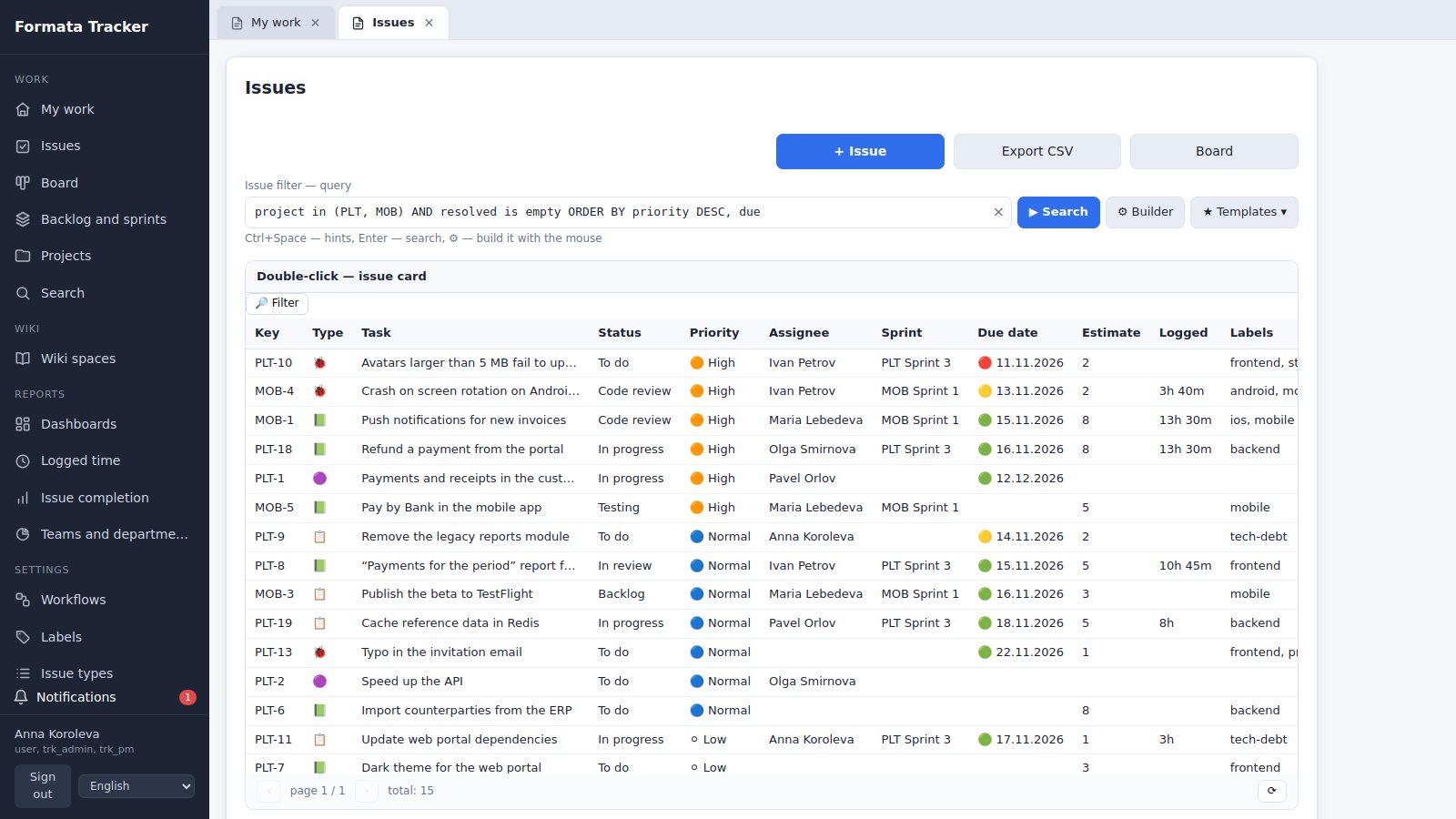
Everything a team needs to work on issues
The familiar tracker concepts — projects with keys, statuses, sprints, a board — plus what usually has to be bought separately: a wiki, time tracking and reports.
Issues and hierarchy
Projects with keys (PLT-12), epics, stories, bugs and sub-tasks of any depth, links such as blocks, relates to and duplicates, watchers. The history of every field, with a before/after text comparison.
Workflows
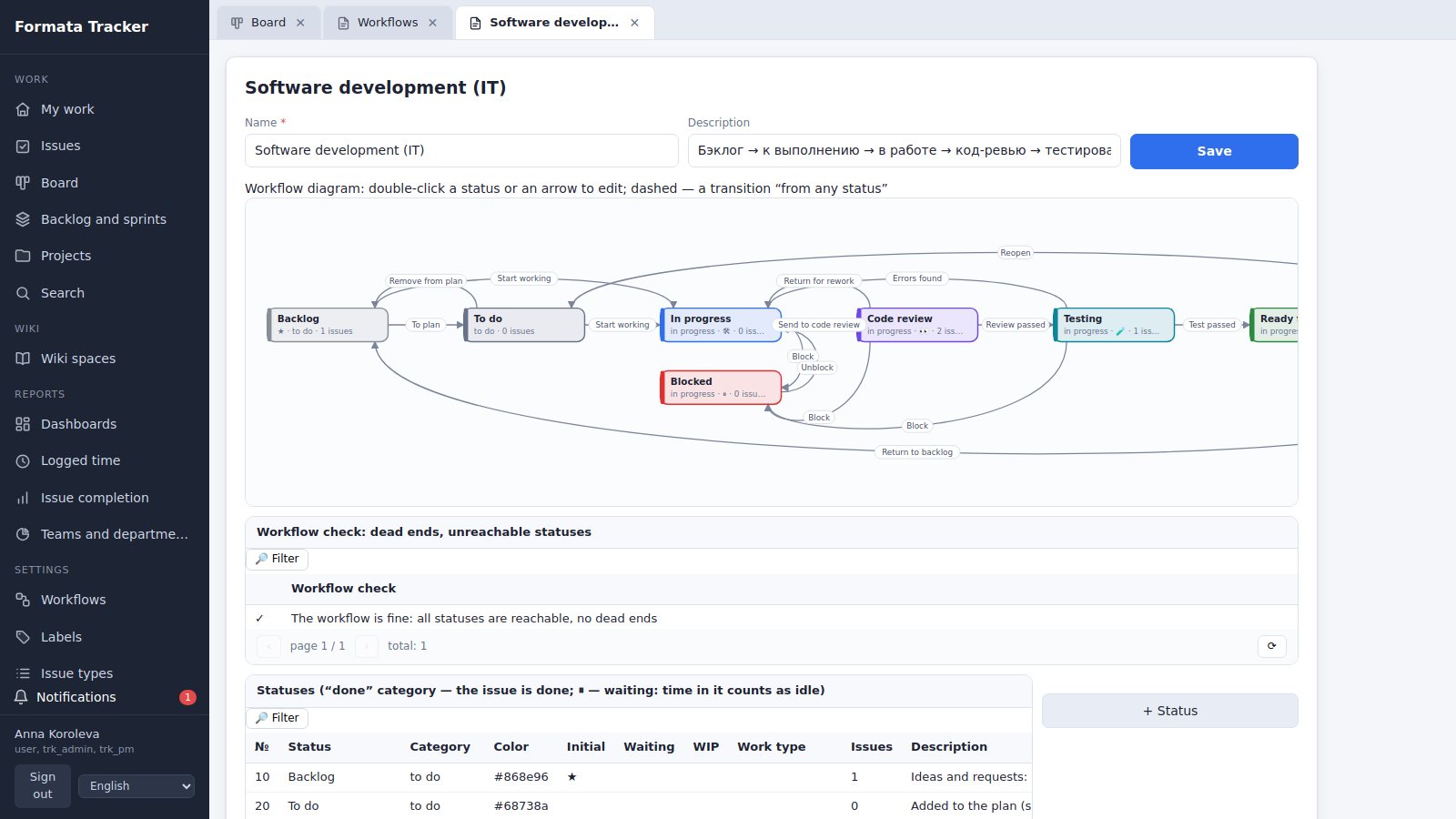
Your own statuses and transitions: who may move an issue, conditions (comment, assignee, estimate, closed sub-tasks, completed steps), automatic actions and resolutions. A diagram of the workflow on screen and a check for dead ends.
Query language and templates
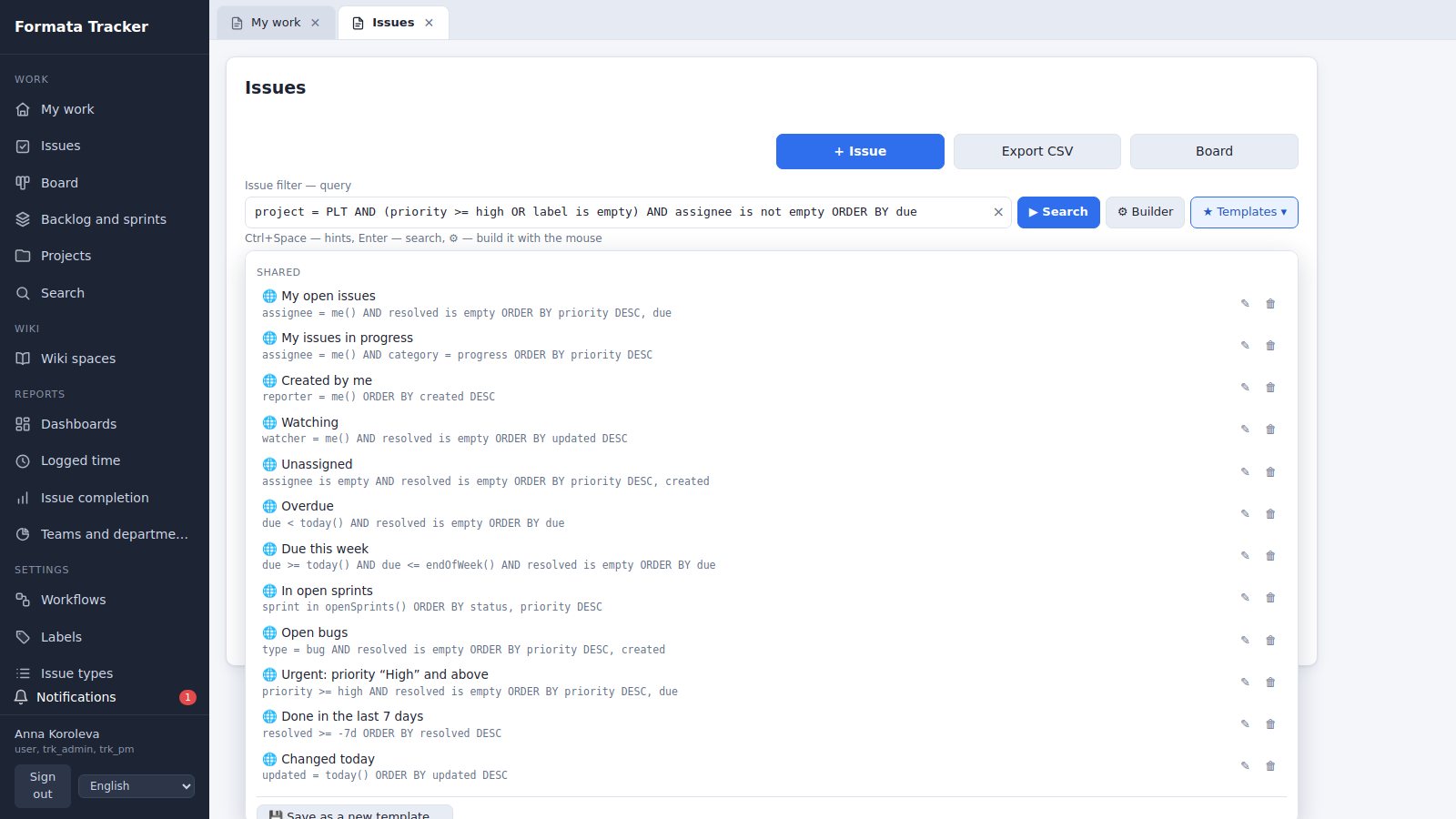
A JQL-style query string with hints as you type, a visual builder and errors that point to the exact character. Personal and shared templates work in the issue list, reports and dashboards.
Steps by type of work
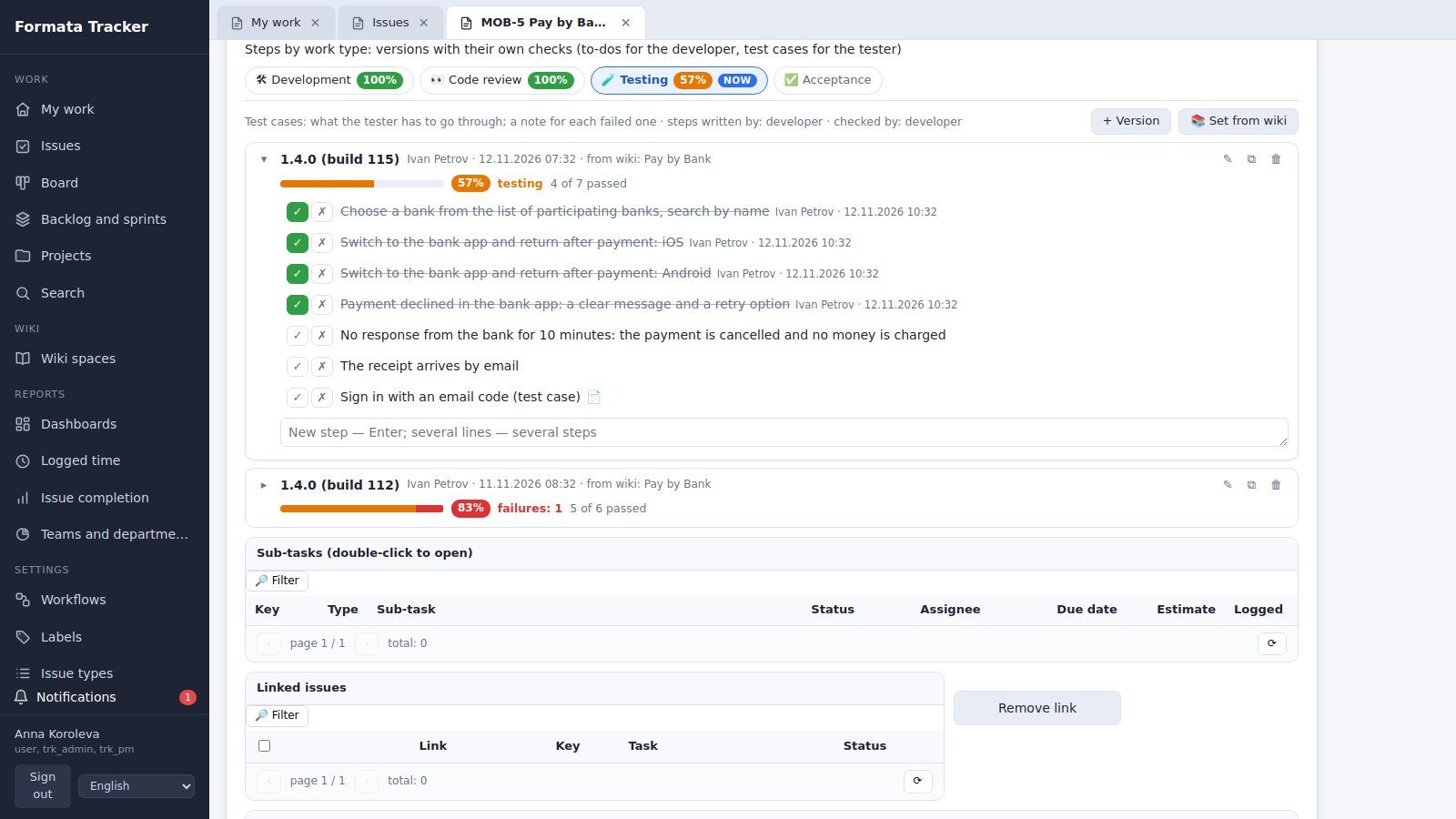
Each status has a type of work: development, code review, testing, acceptance. Checklist versions with their own ticks, pass/fail test cases and standard sets taken from the wiki.
Sprints and a Kanban board
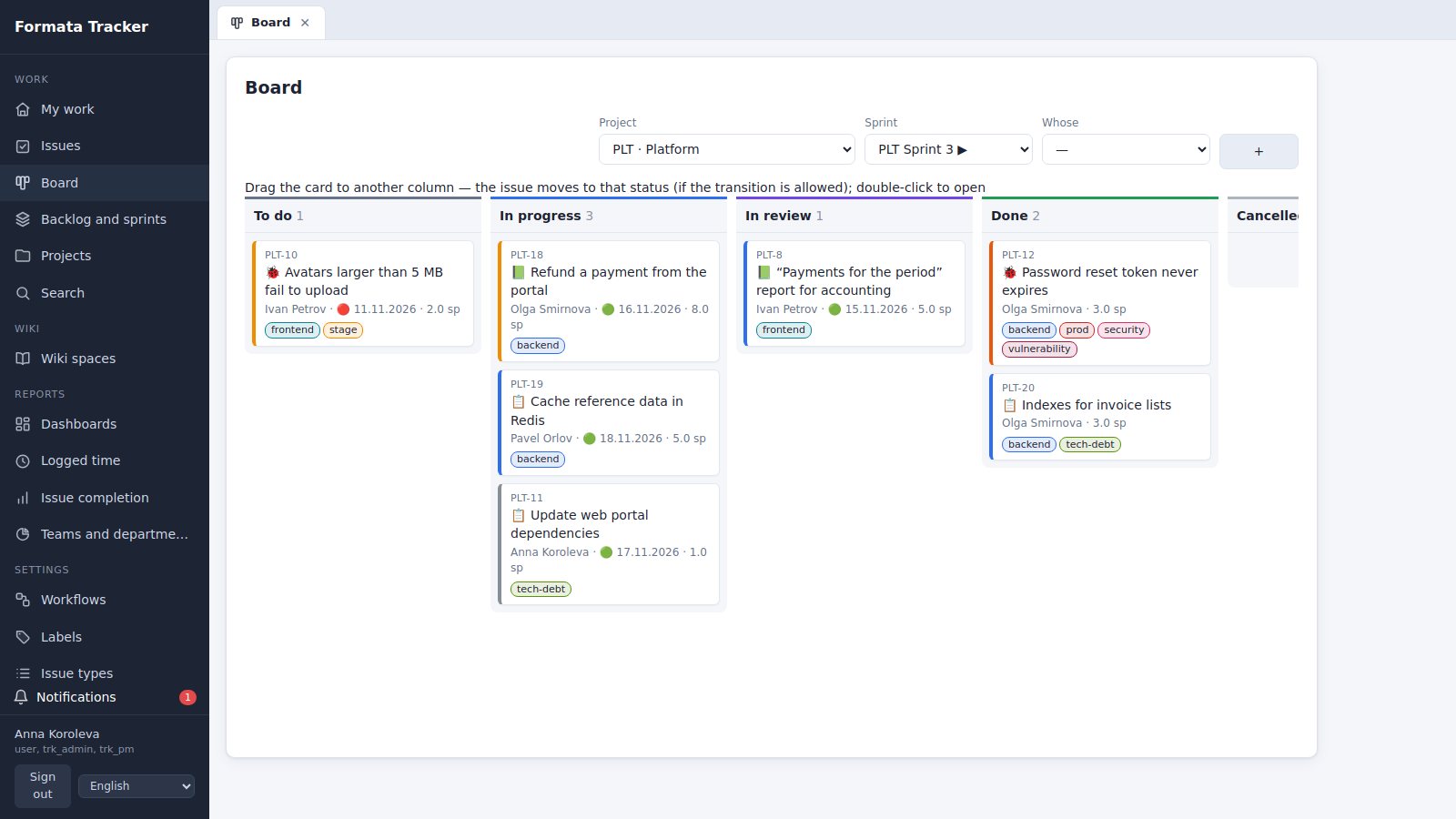
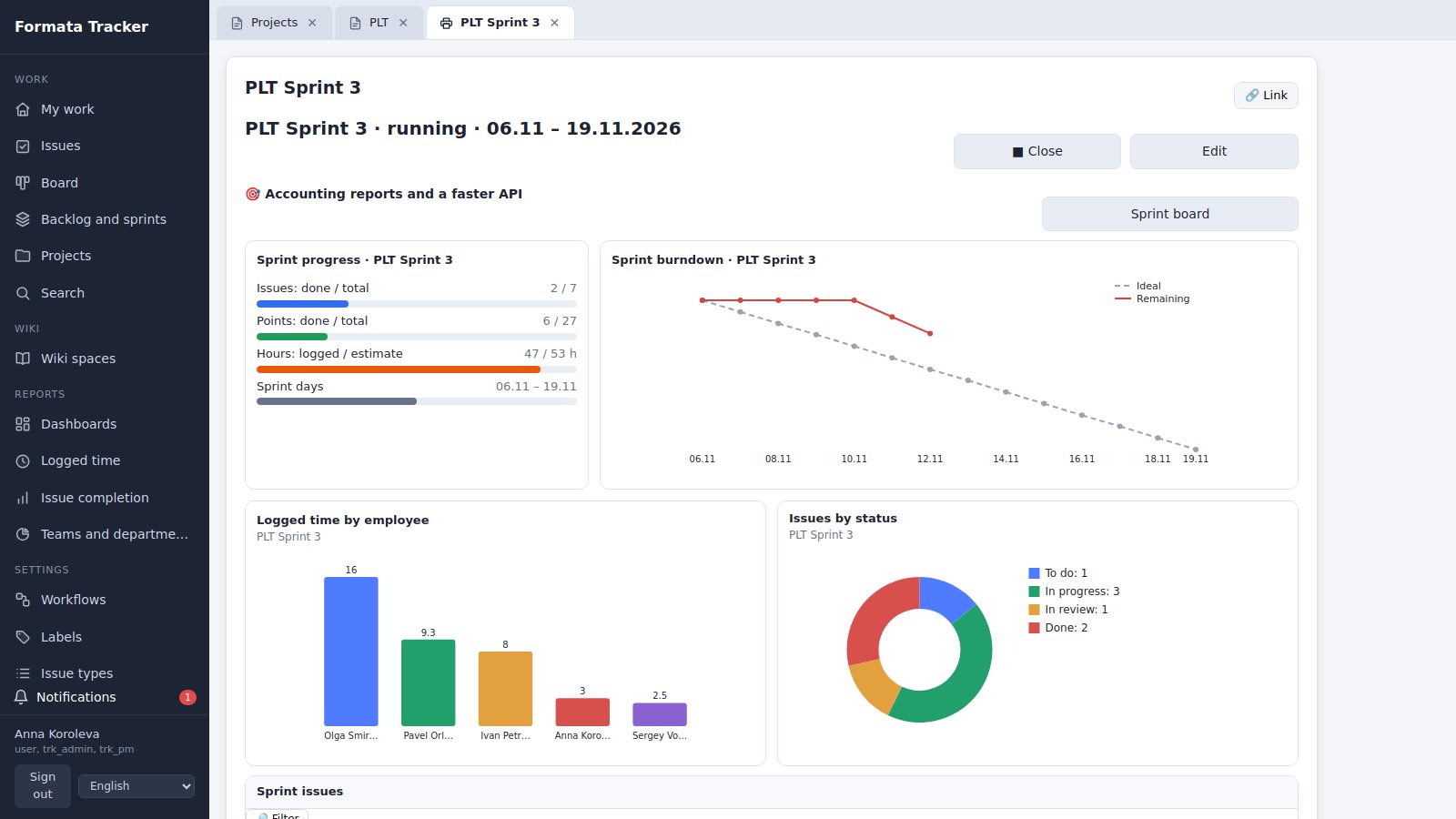
Backlog, starting and closing a sprint with unfinished work carried over, a burndown chart and team velocity. A board built from the project's workflow, with drag and drop and WIP limits.
Time tracking and estimates
Estimates in points and hours, time logged in a familiar format (1h 30m, 1:30, 1d) with the remaining time recalculated, due dates with traffic lights. A report on who logged how much time for a period or a sprint.
Versioned wiki
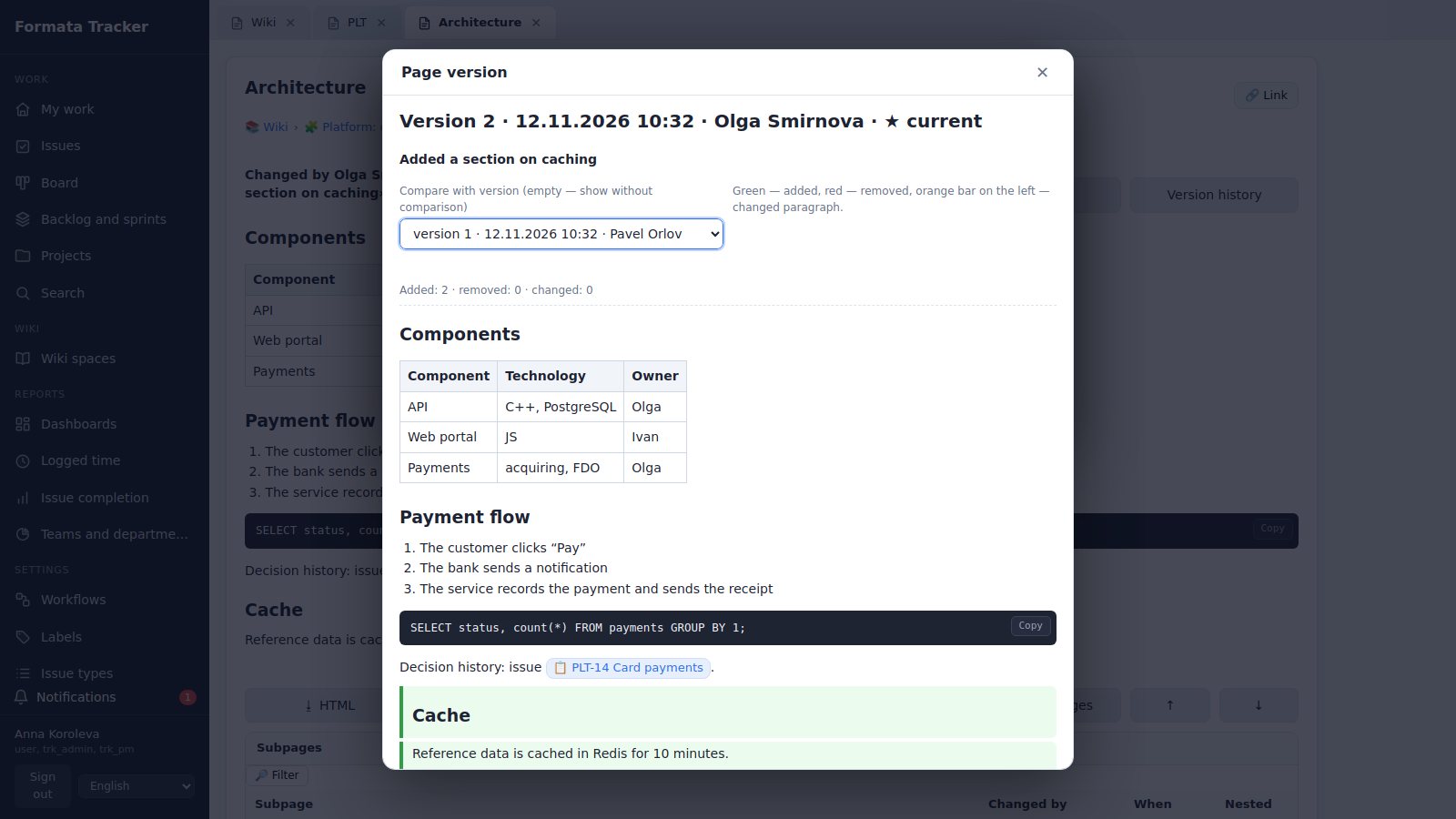
Spaces and page trees, an editor with tables, code and images. Every save is a version: compare any two word by word and restore. Export to HTML, Markdown, Word and PDF.
Reports and dashboards
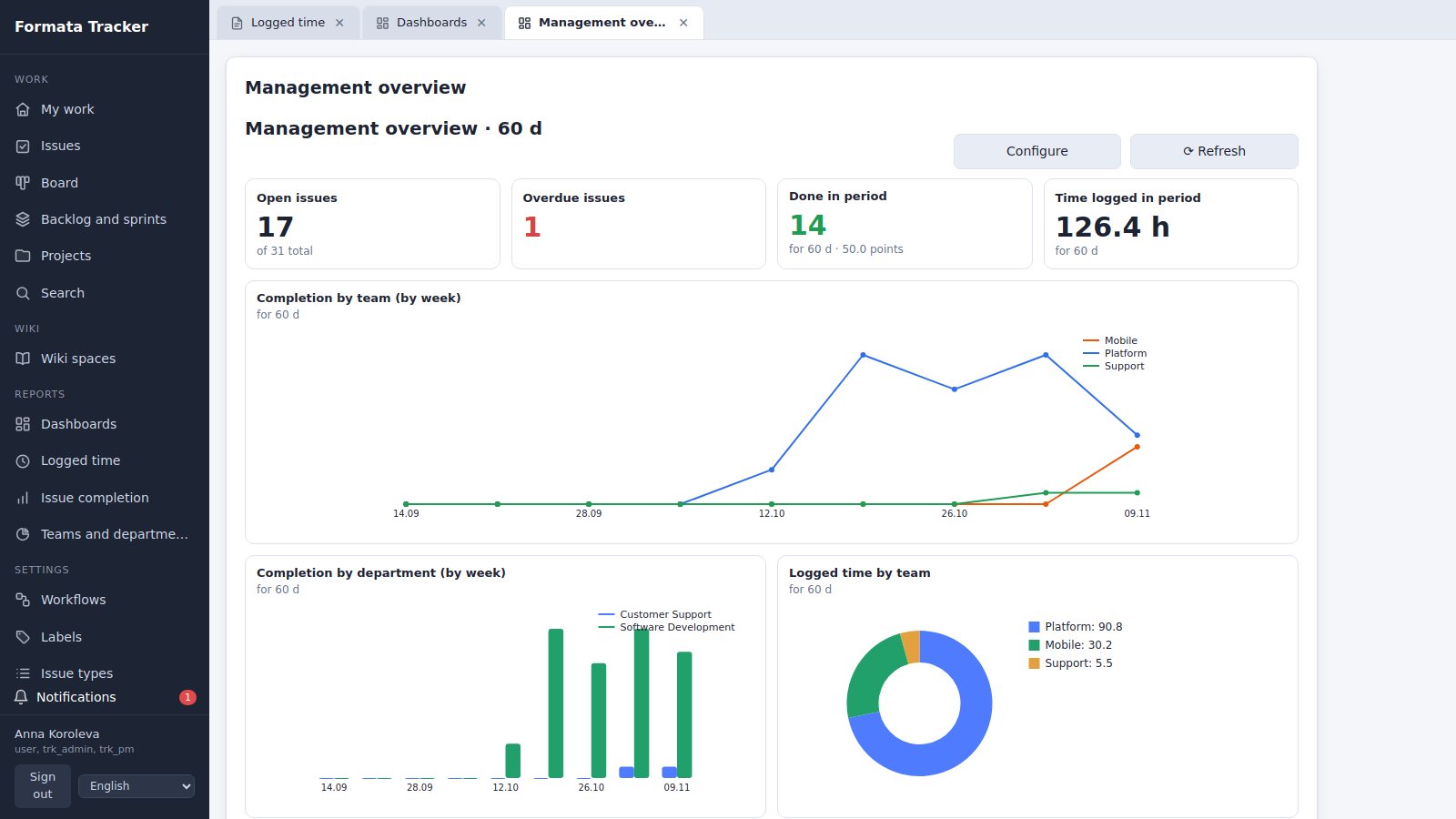
Logged time, issue completion, charts by team and department. Dashboards built from 27 metrics — personal, shared and access-controlled, with filters on each panel.
Access control
Project roles — viewer, reporter, developer, manager; access for people, groups and teams; private and internal projects; permissions for wiki spaces and dashboards. Everything is enforced by the server.
Gitea integration
Branches, commits and pull requests that mention the issue key appear in the issue and its history; repository events move issues through the workflow; smart commits with #time and #comment. Only a signed inbound webhook.
Labels with dependencies
Label groups and one-of-a-group labels, rules such as requires and excludes, parent labels. The tracker tells you what it changed because of a rule.
14 interface languages
Forms, dictionaries, messages and errors in English, Russian, German, Spanish, French, Italian, Polish, Portuguese, Turkish, Japanese, Korean, Chinese, Arabic and Persian.
Query language: any selection of issues in one line
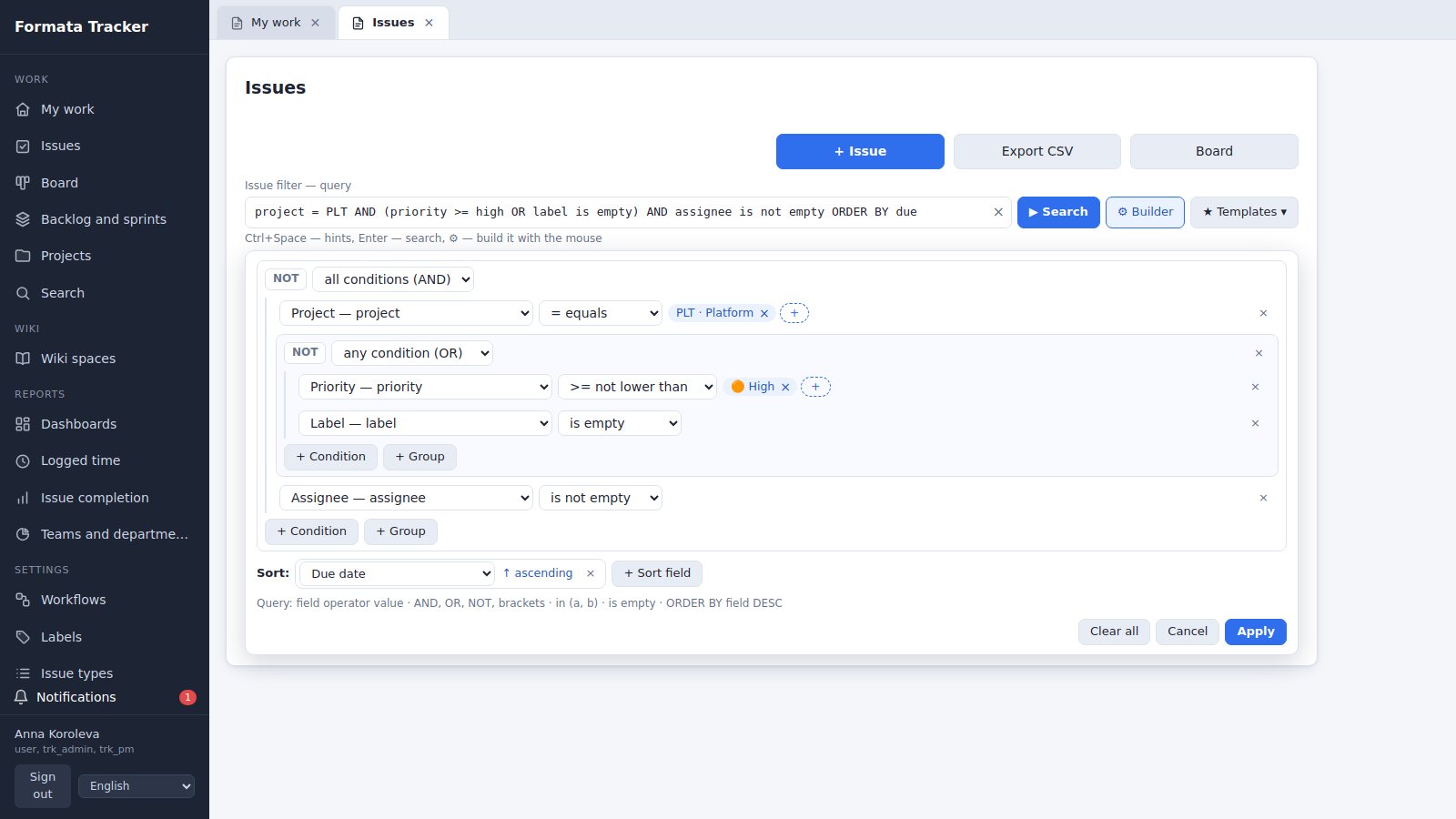
Conditions of the form field operator value, AND, OR, NOT, brackets and ORDER BY. Prefer not to type? Build the query with the mouse and the string appears by itself.
assignee = me() AND resolved is empty ORDER BY priority DESCMy open issues, most important firstproject in (PLT, MOB) AND type = bug AND created >= -7dBugs in two projects over the last weeksprint in openSprints() AND status = "Testing"What is in testing right now(priority >= high OR label = urgent) AND assignee is emptyUrgent work with nobody assigneddue < today() AND resolved is empty ORDER BY dueOverdue issuespayment "refund"Plain words search titles and descriptions- Hints at the cursor: fields, the operators of a field, its values and keywords (Ctrl+Space, Tab)
- Builder: groups of all conditions (AND) or any condition (OR), NOT, sorting
- Values in any language: status = "In Progress" also finds a status named in Russian
- Errors appear under the line at once, with the character position, in the interface language
- Templates: personal and shared, 12 ready-made ones such as My open, Overdue, In open sprints
- One query works in the issue list, in three reports and on dashboard panels
Fields and functionsproject, type, status, category, priority, assignee, reporter, watcher, sprint, label, team, department, resolution, key, parent, text, title, created, updated, resolved, due, start, points, estimate, remaining, spent · me(), openSprints(), futureSprints(), closedSprints(), myTeams(), today(), startOfWeek(), endOfWeek(), startOfMonth(), endOfMonth(), startOfYear() · dates 2026-11-30, 30.11.2026, -7d, +2w
What it looks like
Screenshots with demo data: a development team, a mobile project and support.
Who it is for
IT and development teams
Scrum and Kanban, a Software development workflow from backlog to release, test cases and code review inside the issue, Gitea integration.
Support and service teams
A Support workflow with a waiting status, time in status, and Overdue or Unassigned lists one click away as templates.
PMOs and managers
Dashboards by team and department, reports on time and completion, role-based access in every project.
Companies that keep their data in-house
The tracker and the wiki run on your server with PostgreSQL: issues, pages and attachments never go to the vendor.
Fitted to your processes — on the Formata platform
Formata Tracker is built on the Formata low-code platform: forms, fields, queries and Python scripts are changed in the designer without rebuilding the program.
More about Formata- Your own fields and issue forms
- Your own workflows, issue types and types of work
- Logic in Python and in PostgreSQL
- Integrations through the HTTP API and inbound webhooks
- The same engine as Formata CRM, document management and finance
On your server
The data is stored in PostgreSQL on the customer's server. Users work in a browser.
- An Ubuntu 24.04 or 22.04 LTS server, a container also works
- PostgreSQL 16 with the pgcrypto extension
- A Chromium-based browser: Google Chrome, Microsoft Edge
- HTTPS through a reverse proxy (for example nginx)
- A pilot installation: 2–4 CPU cores, 4–8 GB of RAM
Documentation
The user guide — issues, workflows, the query language and templates, sprints, the wiki, reports, dashboards and permissions — is on this site; the full document set is available as PDF.
Questions and answers
How is Formata Tracker different from Jira?
It is an issue tracker and a wiki in one system on your own server: the data lives in your PostgreSQL database, the wiki and time tracking are built in, the query language is similar to JQL, and forms, fields and logic can be changed in the Formata designer. The familiar concepts — projects with keys, workflows, sprints, a Kanban board — are all there.
Can we move our issues from Jira?
There is no built-in Jira import yet. We migrate projects, issues and users as part of the implementation — write to us.
How does the query language work?
Conditions of the form field operator value, AND, OR, NOT, brackets and ORDER BY; words without an operator search titles and descriptions. A query can be built with the mouse and saved as a template. The server parses and runs it: only issues from projects the person has access to are returned.
Where is the data stored?
In a PostgreSQL database and an attachment directory on the customer's server. The tracker does not send issues, wiki pages or attachments to the vendor.
What server do we need?
Ubuntu 24.04 or 22.04 LTS (a container also works) and PostgreSQL 16. A pilot installation needs 2–4 CPU cores and 4–8 GB of RAM. HTTPS access is provided by a reverse proxy.
Is there a Git integration?
Yes, with Gitea: branches, commits and pull requests that mention the issue key are shown in the issue, repository events move the issue through the workflow, and smart commits log time and add comments. The tracker only accepts a signed webhook and sends nothing to Gitea.
How do notifications work?
Notifications about events on your issues arrive in the bell in the interface. They are not sent by e-mail yet.
Which interface languages are available?
14 languages: English, Russian, German, Spanish, French, Italian, Polish, Portuguese (Brazil), Turkish, Japanese, Korean, Chinese, Arabic and Persian.
How much does it cost?
The price depends on the number of users and on what is included. Write to us and we will prepare an offer.
Can we see the tracker live?
Yes. Open the demo at tracker.new-imobile.com and sign in as anna / anna (administrator) or with another role: analyst sergey, developer olga, QA engineer elena, director nina — the password is the same as the login. We will also give you a guided demo and answer your questions — send a request through the contact form.
Documentation
PDF documents for Formata Tracker: description, installation, user guide, support and security. The documents are in English.
Документация на русском языке (оформление по ГОСТ 19)
- Описание функциональных характеристикPDF · 188 KB
- Руководство по установке и администрированиюPDF · 186 KB
- Руководство пользователяPDF · 3.0 MB
- Описание процессов, обеспечивающих поддержание жизненного цикла программыPDF · 174 KB
- Спецификация поставки и сведения о сторонних компонентахPDF · 176 KB
- Сведения о соответствии требованиям законодательства Российской ФедерацииPDF · 181 KB
English
See Formata Tracker on your own work
We will show the tracker on demo data, help you set up workflows and move your projects.